MTA-Hub overview

DNS accounts

DNS through a registrar's API or a hosting provider's panel

DNS accounts.
Records in Cloudflare and DNSmanager, automatically.

If a domain's zone is kept at a provider, the Hub publishes the DNS records there itself, through a DNS account: the panel address, login and password for DNSmanager, or an API token for Cloudflare.

You can see whether the access works, how many domains and records go through it and how the last export ended — and, next to it, the state of your own name servers.

DNSmanagerCloudflare
DNS · DNS accountsMTA-Hub interface
Real module screensClick to enlarge ↗
01Accesspanel or API token
02Checkon demand and nightly
03Record exportfrom “Domains and zones”
04Your own servicemeasured every 5 minutes

Why you need DNS accounts

If a domain's zone is kept at a registrar or hosting provider, the Hub publishes the DNS records there itself, through a DNS account — access to the provider's panel. For DNSmanager that is the panel address, login and password; for Cloudflare, an API token. The page shows whether the access works, how many domains and records go through it and how the last record export ended. Next to it is the state of your own name servers: queries, cache, latency, uptime and the load of the server they run on.

  • Access and exports are shown separately

    “Working” is about access: the panel answered the last check. “Last export” is about an event: when the Hub last sent records and how that ended. If an export is still running, it says so — “in progress”, not “failed”.

  • You can see how full the panel is

    The check counts every zone in the panel, including those created outside the Hub. A shared DNS account also shows its limit, set in the admin panel.

  • Secrets are never shown

    Passwords and tokens are stored encrypted and never reach the interface: you can replace them, but not view them.

  • An account in use can't be deleted

    While a DNS account has domains, you can't delete it — neither with the button nor with a request to the server.

  • Your name servers are watched

    With your own name servers, keeping domains reachable is your job, so this page shows more than just “working”: queries per hour with a 24-hour chart, cache hits, latency, uptime and server load — the same measurements as on the server's card.

Where the access and name server data comes from

A DNS account is checked with the “Check” button, and an account that has domains is also checked every night: the Hub logs in to the panel and counts its zones. Record exports are tasks started from “Domains and zones”. Your own name servers report PowerDNS counters: the Hub reads them every five minutes along with a check that the service answers; the load comes from server monitoring.

01Provider panels: access, domains and the last export

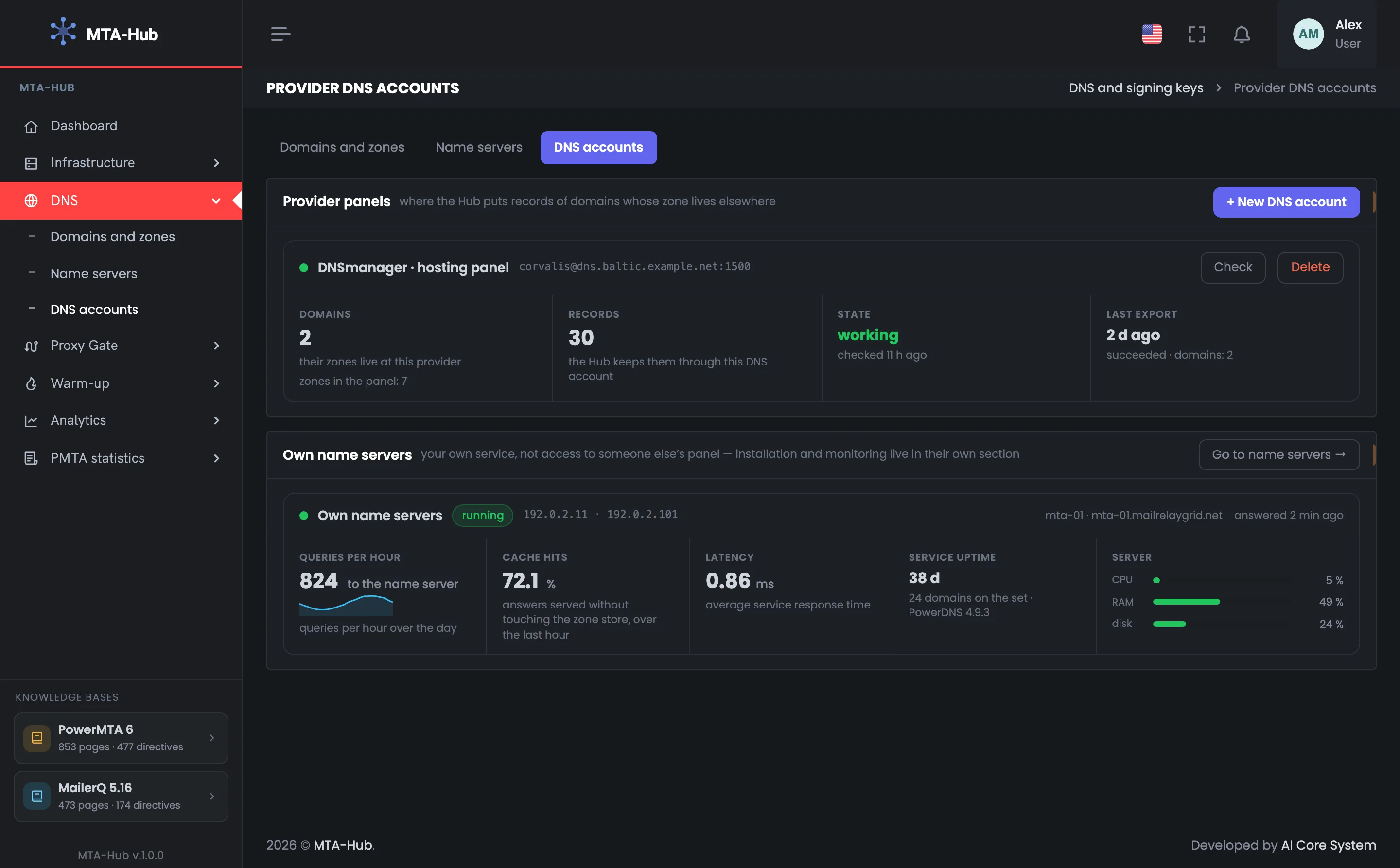
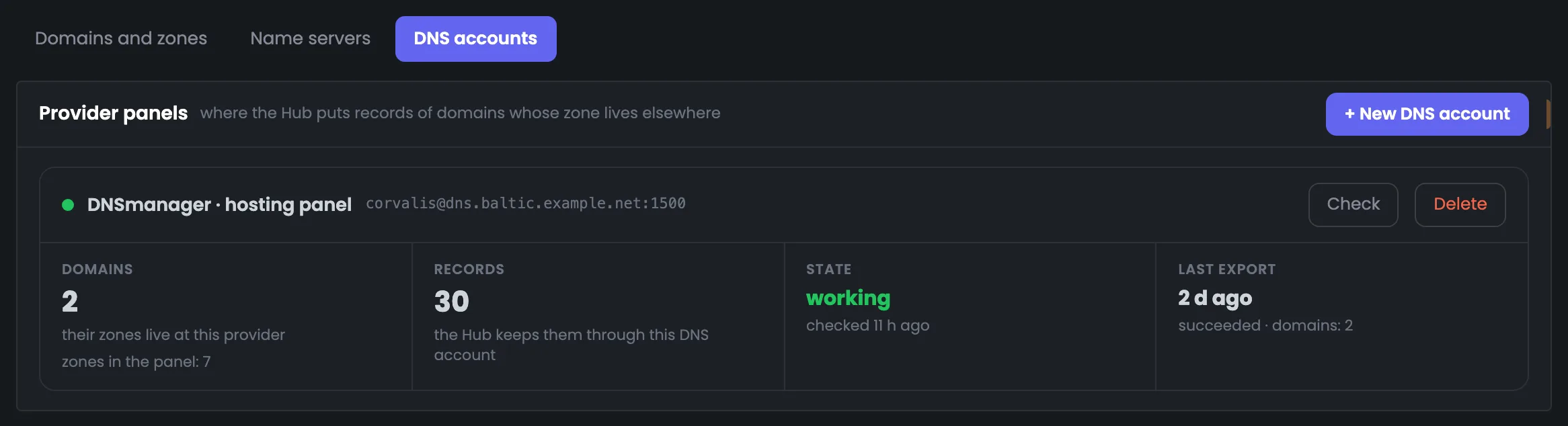
This is the section's main screen: one card for each provider panel where the Hub publishes your domains' DNS records. The example shows a hosting provider's DNSmanager that holds the zones of a bank's two domains. Access works: the panel answered the nightly check and holds 7 zones — besides the Hub's two domains, there are the bank's own zones. Through this DNS account the Hub manages 30 records, and the last export was two days ago: DMARC was tightened in the Hub and the records of both domains were sent again. If “Status” doesn't say “working”, click “Check”. A DNS account can't be deleted while it has domains.
MTA-Hub screenshot: Provider panels: access, domains and the last export

02Your own name servers: queries, cache and load

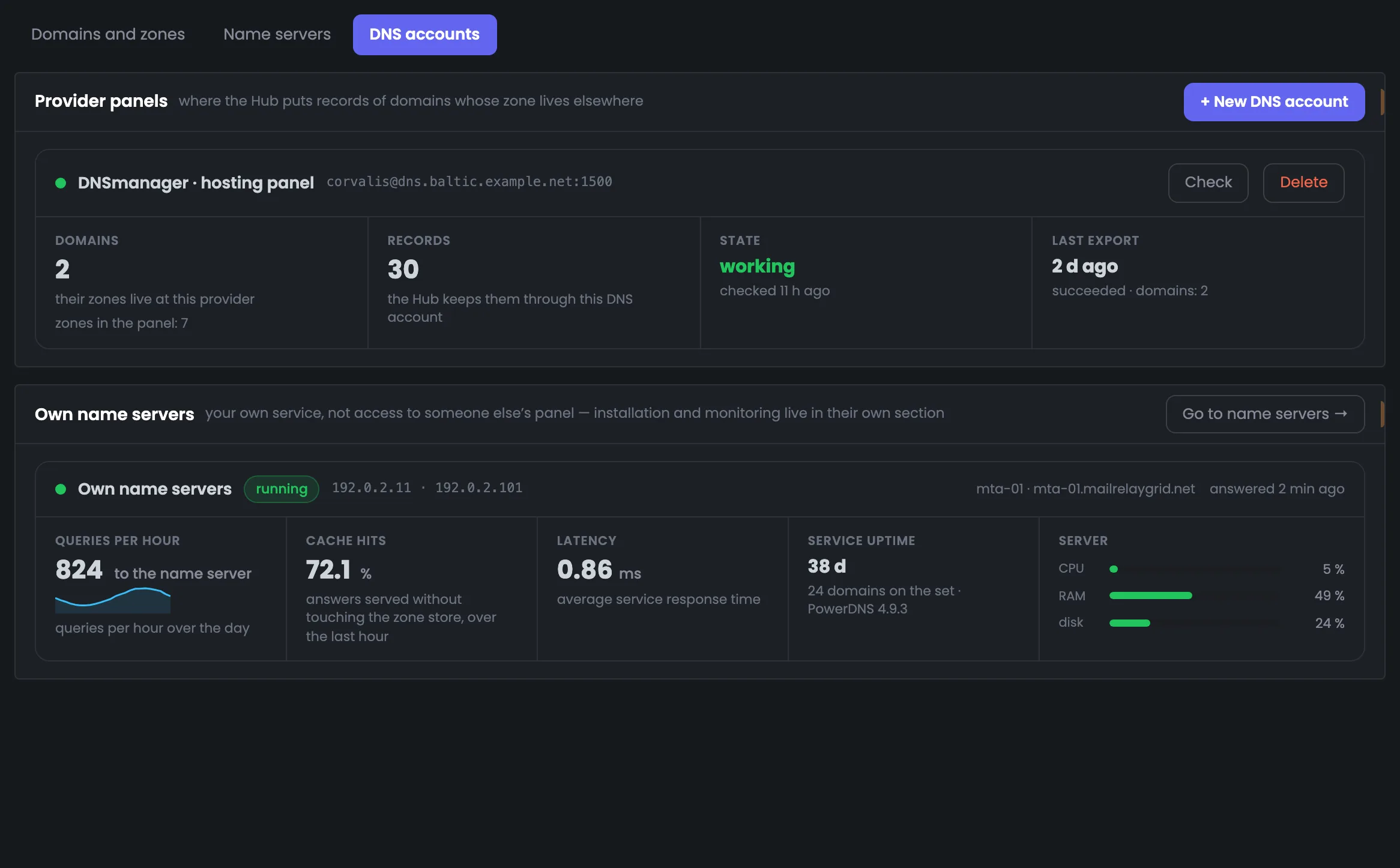
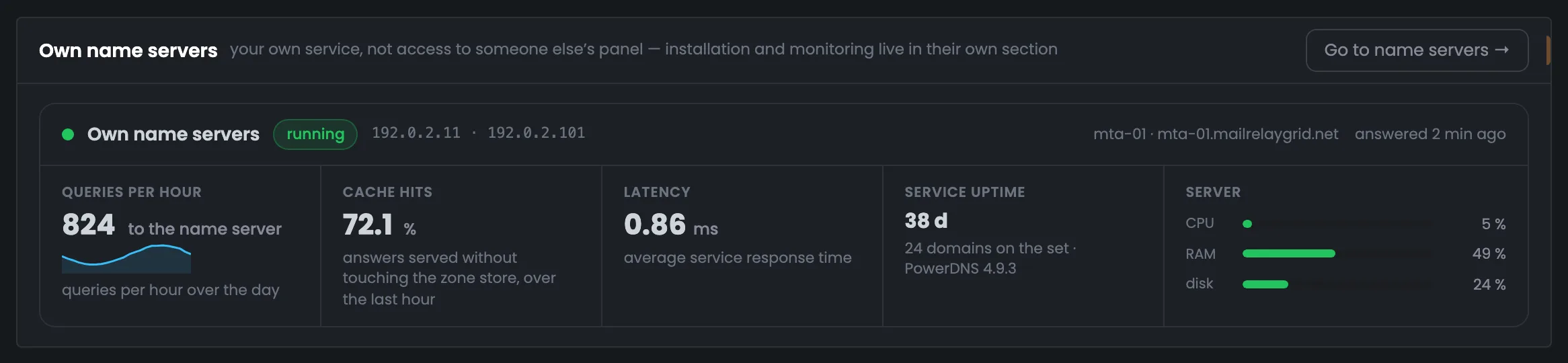
Below are your own name servers, for when domain zones are kept by you rather than a provider. The “Own name servers” set on mta-01 is running and answered the check two minutes ago: 824 queries in the last hour, and the chart shows the same queries hour by hour over the day — there are more during the daytime. The service answers 72.1% of queries from cache, without going to the zone database; average latency is 0.86 ms, the service has been up for 38 days, and the set serves 24 domains. On the right are the server's CPU, memory and disk: the name servers run on the same machine as the mail, so you see its load right away.

MTA-Hub screenshot: Your own name servers: queries, cache and load

03New DNS account: Cloudflare with an API token, or DNSmanager

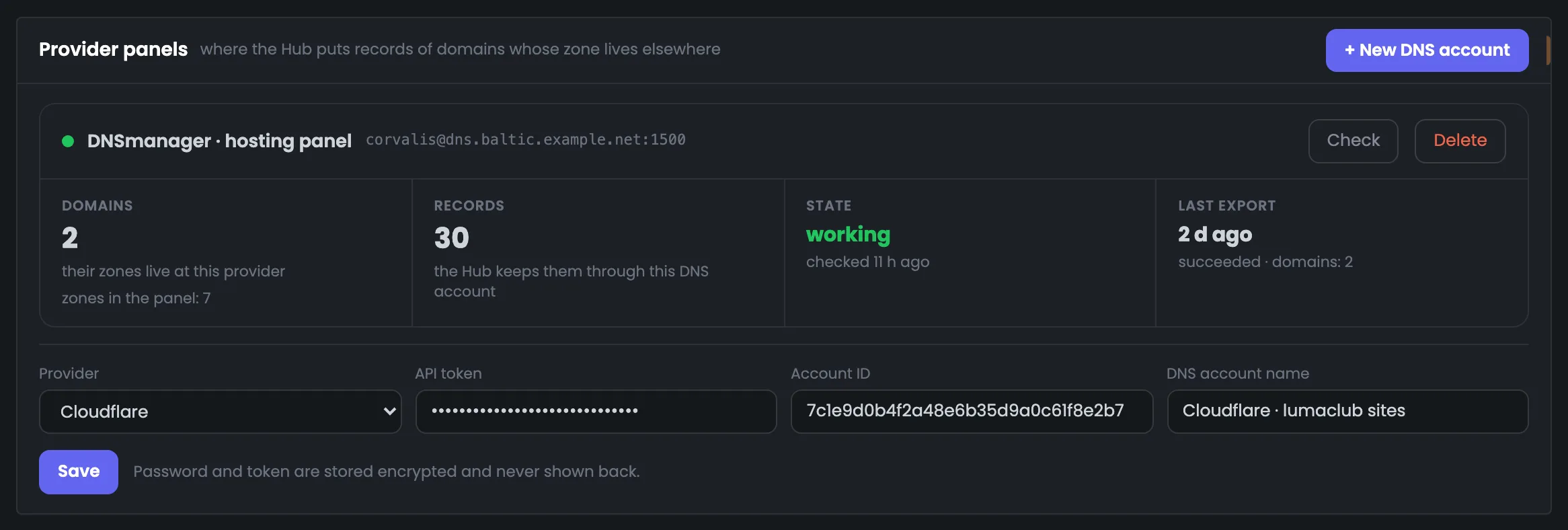
The “+ New DNS account” button opens the form for connecting a new panel. Choose the provider: DNSmanager needs the panel address, port, login and password; Cloudflare needs an API token and Account ID. The name is what you'll see when choosing where a zone is kept; here a Cloudflare account is being added for the lumaclub sites. Saving doesn't check anything or send any records: access is checked with the “Check” button on the card, and records go out when you export them from “Domains and zones”. Once saved, the new DNS account appears in the list of provider panels — click “Check” on its card right away to make sure the token or password works.

MTA-Hub screenshot: New DNS account: Cloudflare with an API token, or DNSmanager

All modules — in one panel

Dashboard, Proxy Gate, warm-up and accounting statistics are parts of one panel, not separate programs. What each edition includes is on the “Pricing” page.